Software updates and Portal startup
The Cài đặt (Settings) page at the bottom of the left menu checks for GCafe Portal updates, turns on remote access and shows how to install the phone app.
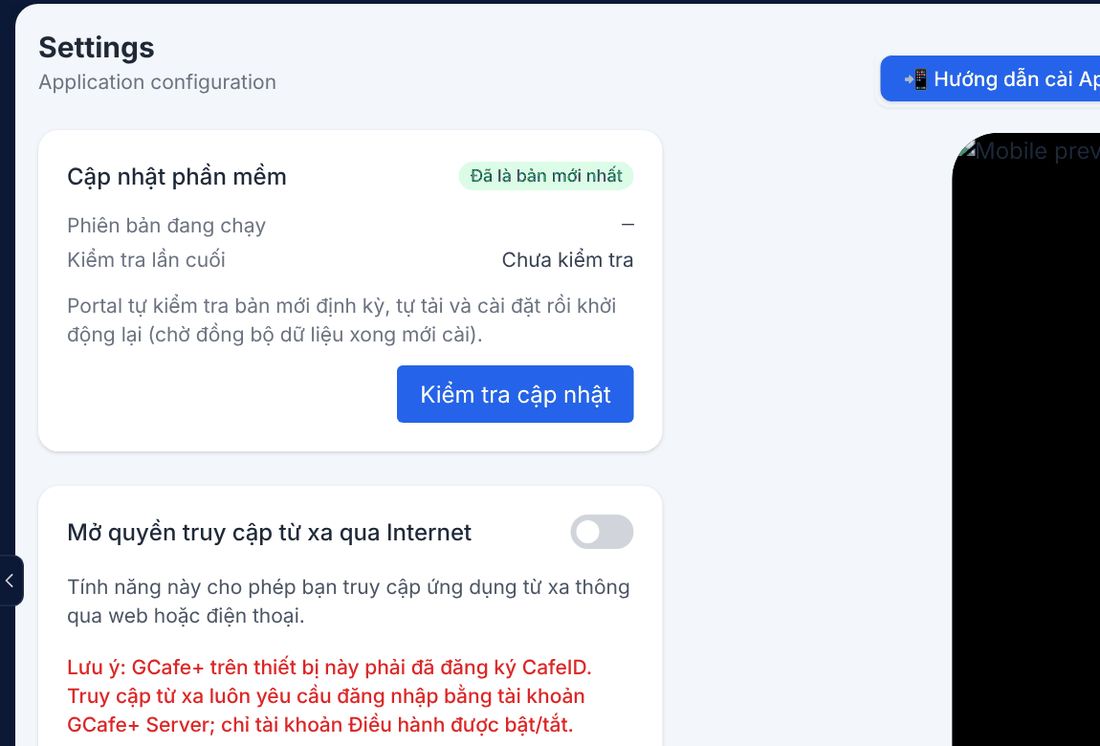
Software updates
Portal checks for new versions regularly, downloads, installs and restarts by itself (after the data sync finishes). Click Kiểm tra cập nhật (Check for updates) to check now.
Status | Meaning |
|---|---|
Đã là bản mới nhất | Up to date. |
Có bản mới / Đang tải / Đang cài đặt | Updating; Portal restarts in a few minutes. |
Lỗi | Update failed, Portal keeps the old version; retry later or contact support. |
Starting with the server
Portal starts with the server and picks how to show itself from how you use it: with full GCafe Portal it opens its window; alongside legacy GCafe Billing it runs hidden — only a tray icon, the Chat Dock when a client writes, and the GCafe Support window.
Sign in and sign out
Portal no longer has its own password: you sign in with a GCafe+ Server account. When you leave the counter, click Đăng xuất at the bottom of the menu.
⚠️ Note: Settings can only be changed on the server, not over remote access.